
DLS Logo URLs 512×512 for Dream League Soccer 2026
Find any club, national team or competition logo and copy a ready-to-use URL for Dream League Soccer in one click.
- DLS compatible. Logo URLs for Dream League Soccer.
- 512×512 transparent PNGs. Ready to import.
- One click to copy. No downloads or resizing.
- 5,100+ football logos. Clubs, countries, and competitions.
Finding logos…
 512 × 512 PNG
Liverpool FC
Popular Club logos, ready for DLS26
Premier League DLS logos
2026/2027




La Liga DLS logos
2026/2027

Serie A DLS logos
2026/2027



Bundesliga DLS logos
2026/2027






Ligue 1 DLS logos
2026/2027

How to add a custom logo URL to DLS (Dream League Soccer)
First, choose a badge above and click “Copy 512×512 logo URL”. Then follow these steps in DLS. Click any screenshot to enlarge it and see the highlighted controls.
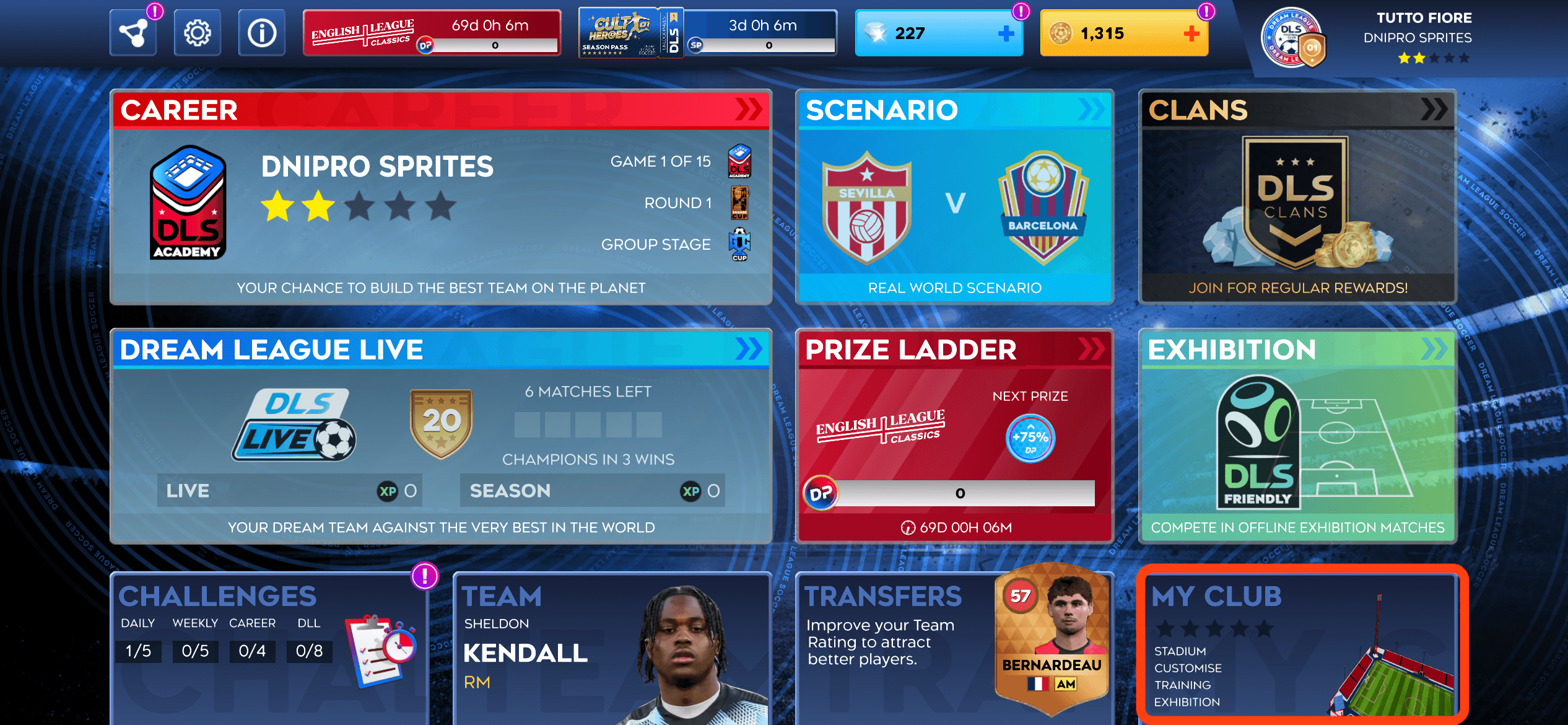
Step 1: Open My Club
Open Dream League Soccer and click My Club in the bottom-right corner of the home screen.
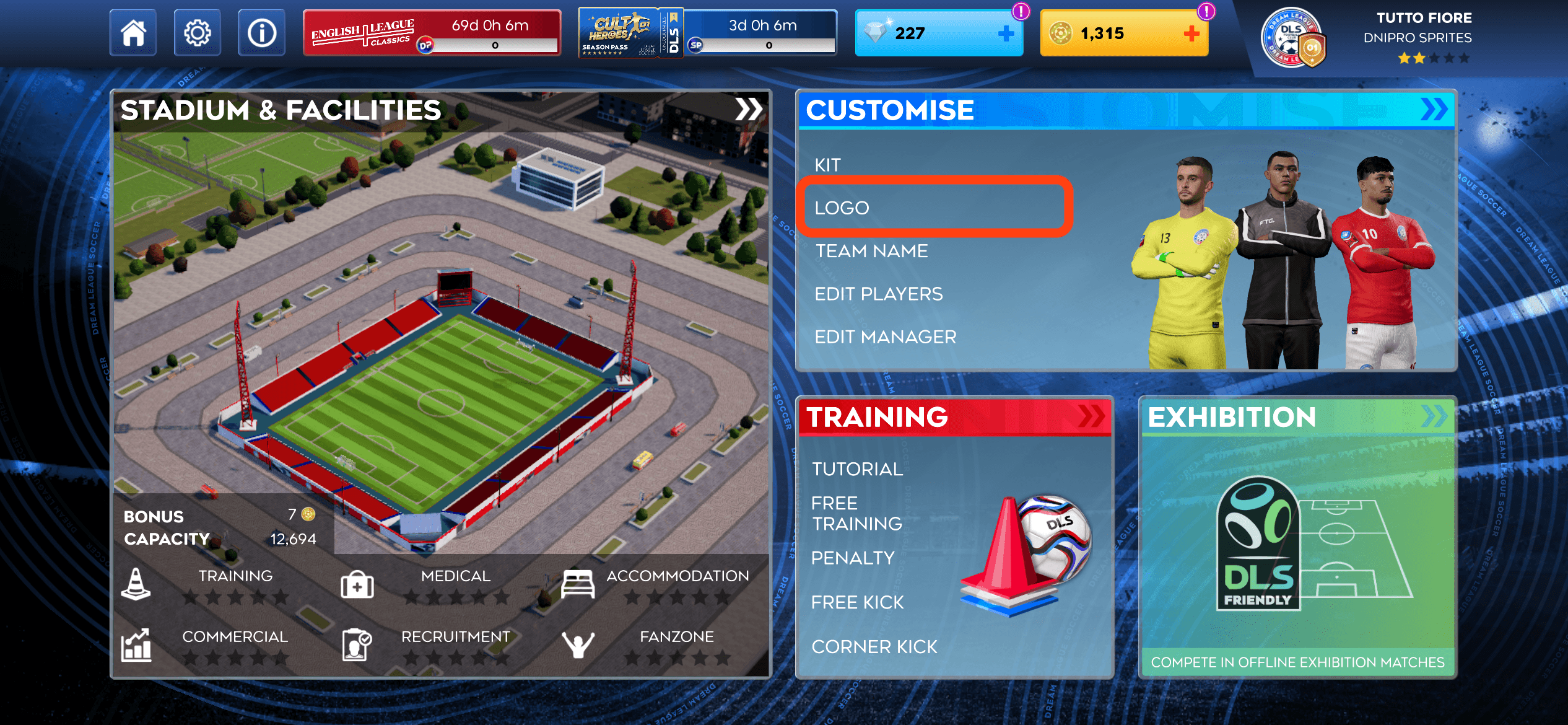
Step 2: Go to Customise
In My Club, find the Customise panel on the right and click the highlighted Logo row.
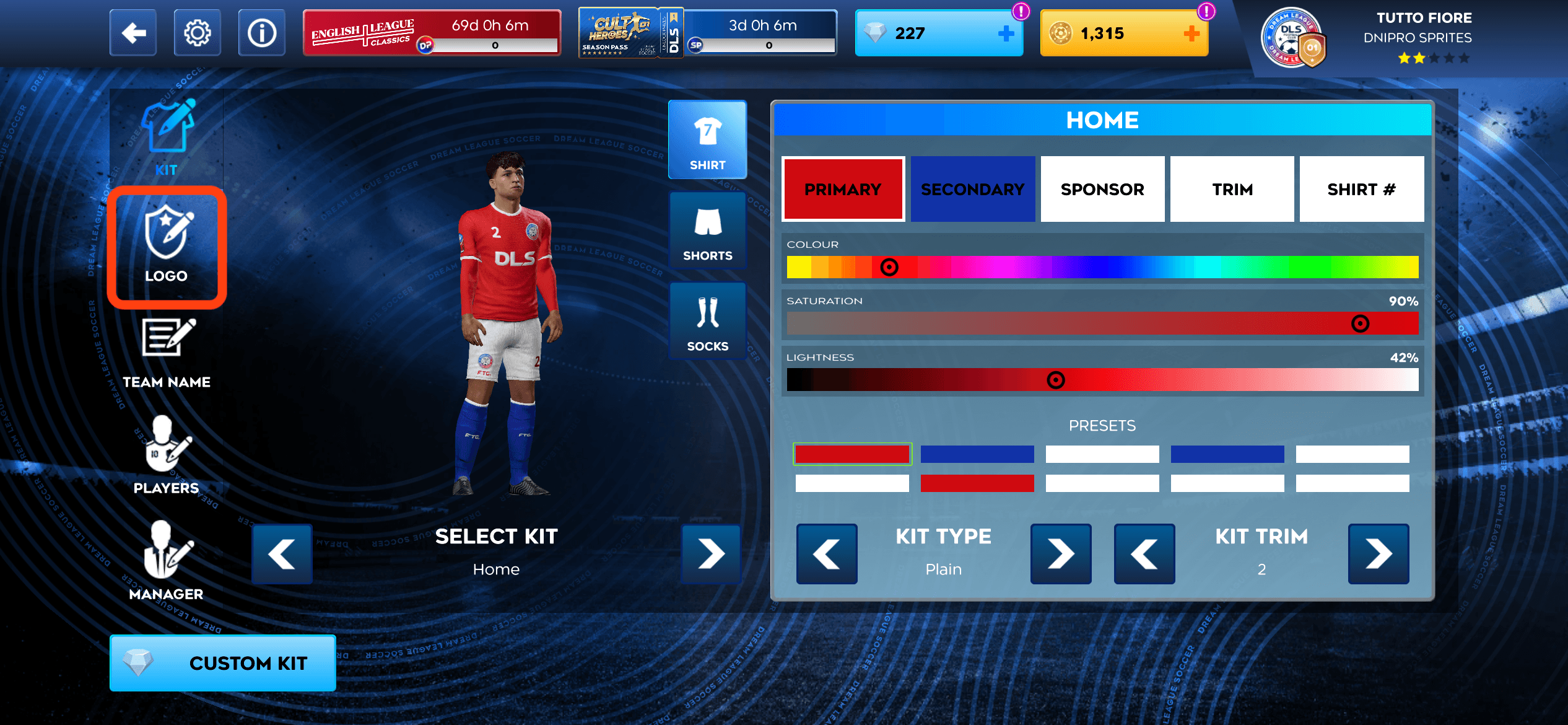
Step 3: Select the Logo tab
If the editor opens on Kit, switch to Logo in the left-hand menu. Look for the shield-and-pencil icon.
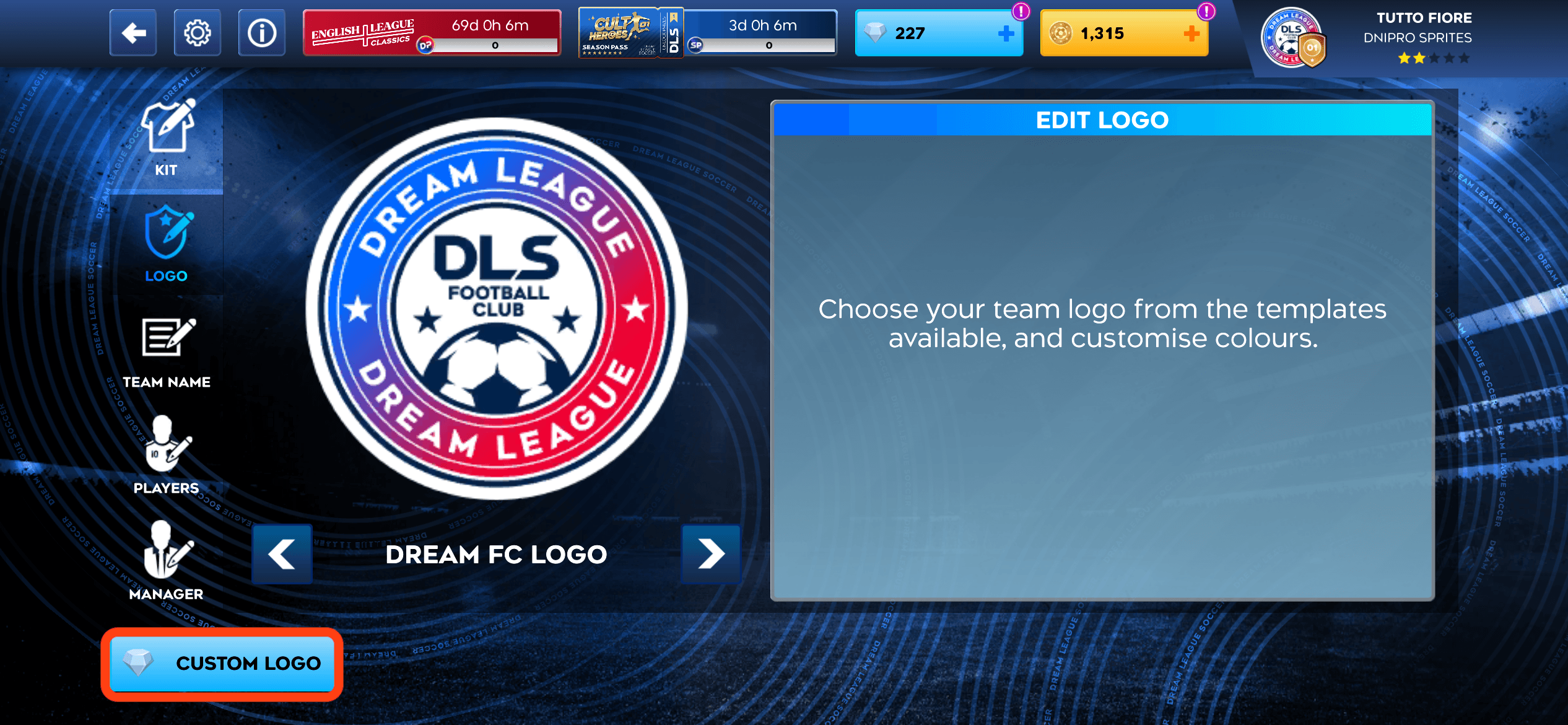
Step 4: Choose Custom Logo
Click Custom Logo below the badge preview. This feature needs to be unlocked; follow the in-game prompt if it is still locked.
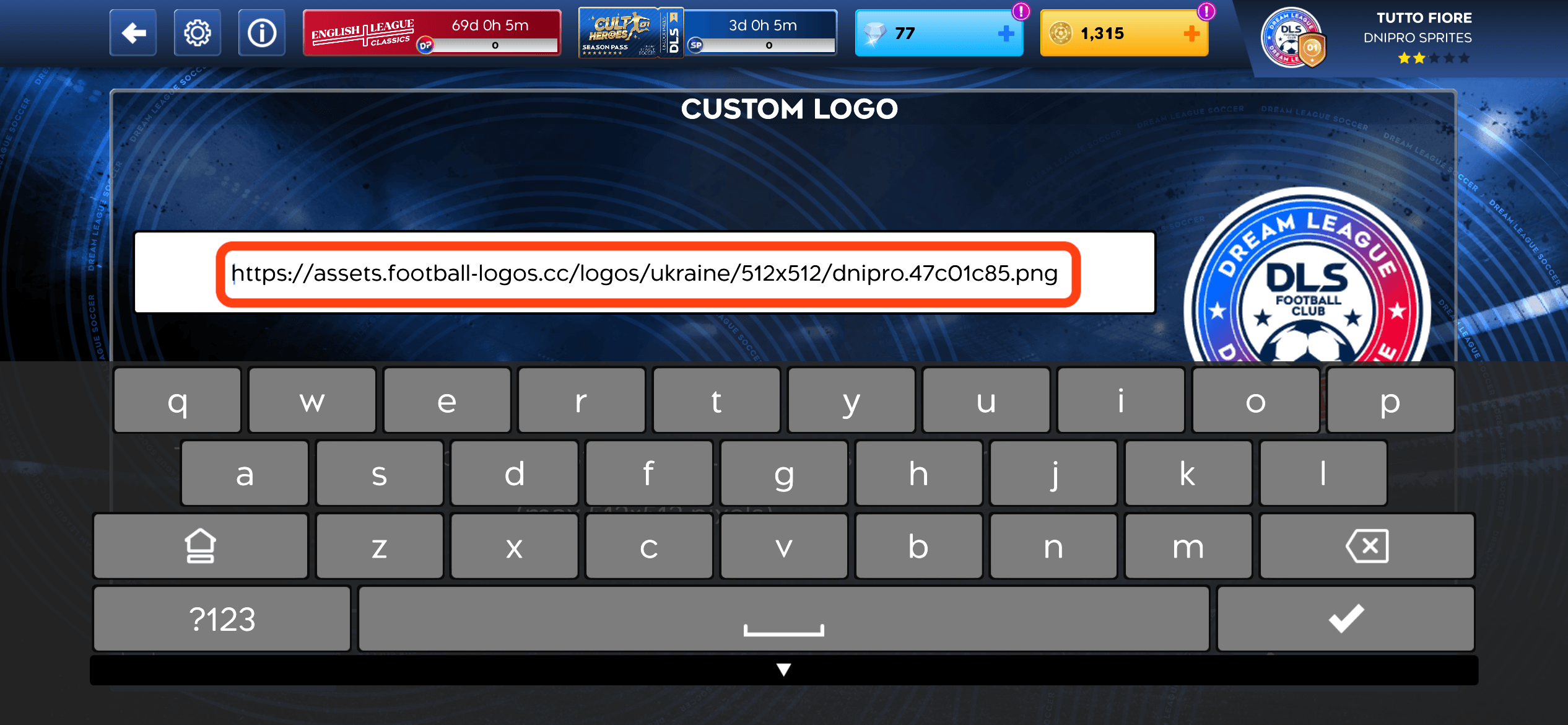
Step 5: Paste your logo URL
Paste the full 512×512 PNG URL you copied from this page into the Custom Logo field. Dismiss the keyboard, then click Confirm in the bottom-right corner.
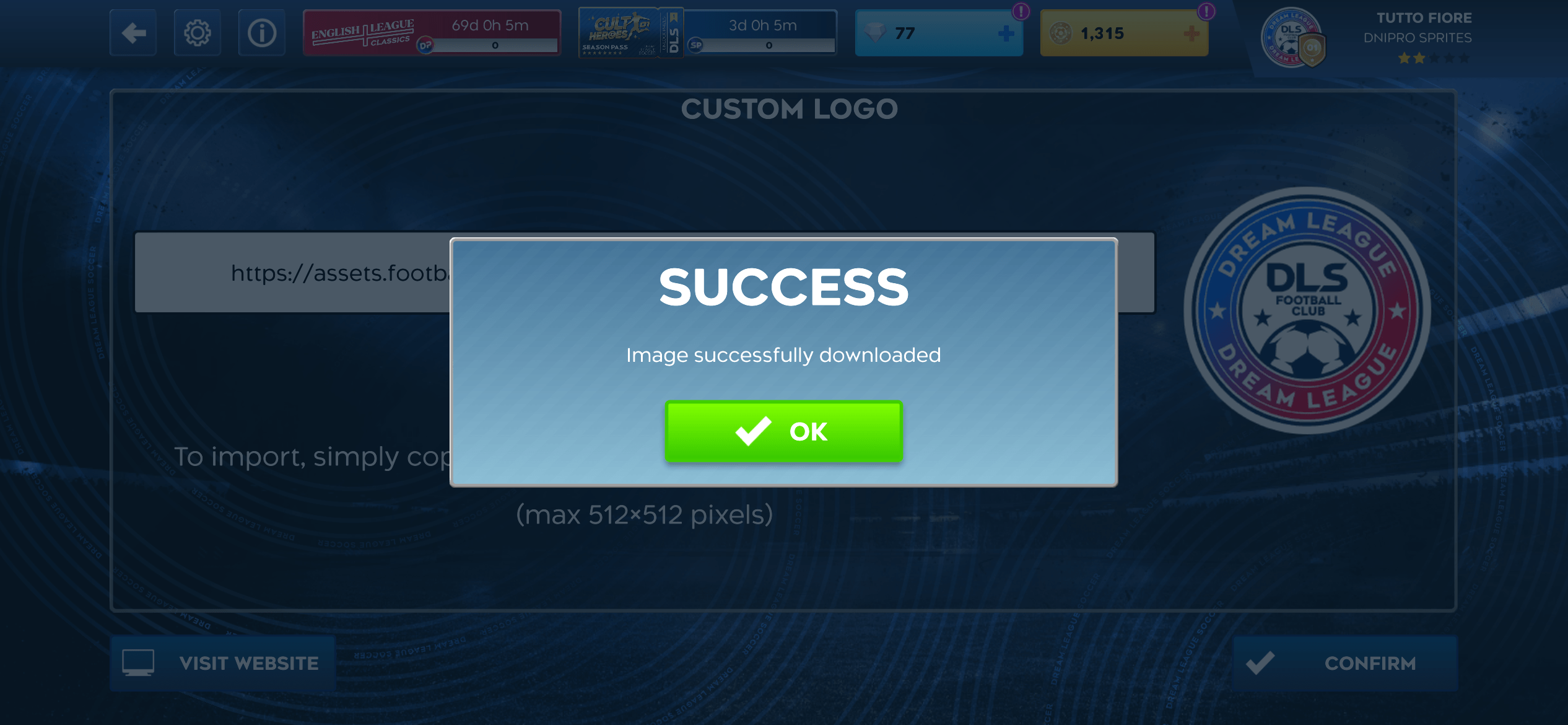
Step 6: Confirm the download
Wait for the Success message saying the image was downloaded, then click OK to return to the logo editor.
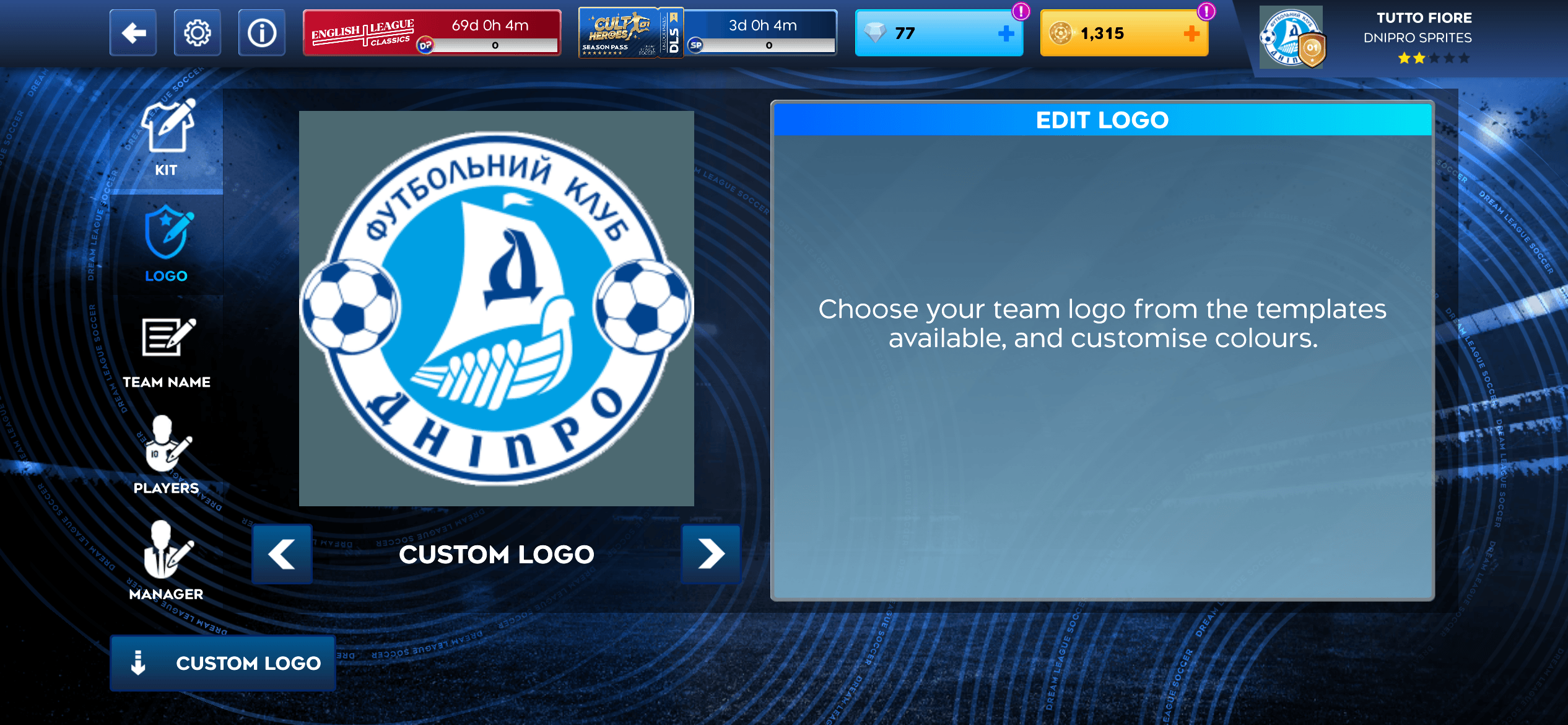
Step 7: Check your new badge
Your imported badge now appears in the logo preview. Check that it is the one you chose, then use the back arrow to return to your club.
The Custom Logo feature must be unlocked before importing an image. See First Touch Games’ customisation guide.
About DLS Logo URLs
Dream League Soccer supports custom club logos through direct image URLs. football-logos.cc provides ready-to-use 512×512 transparent PNG logo URLs for thousands of clubs, national teams and competitions.
Each URL links directly to the PNG image, so there’s no need to download, resize or re-upload the logo. Use the search or league grids above to find a badge and copy its DLS-ready URL.
football-logos.cc is an independent logo library and is not affiliated with First Touch Games. Dream League Soccer and the club marks belong to their respective owners.